https://kimfishes.tistory.com/17
LLM (Ollama) RAG 구현 전 pgvector VS Qdrant 중 무엇이 좋을까
https://kimfishes.tistory.com/3 SpringAI 사용해서 LLM (Ollama) 연결 + Resilience4j 도입 (Spring Boot)고객센터에 사용자가 문의 게시물을 작성하면 관리자에게 디스코드로 알림이 가고, 관리자가 답변을 달아주기
kimfishes.tistory.com
구현하려는 전체 구조
[사용자] → [백엔드 (Spring)]
↓
[Embedding 생성 (Ollama)]
↓
[PostgreSQL + pgvector]
↓
[유사도 검색]
↓
[응답 생성]
PGVector 설치 (Window 설치법)
- PostgreSQL은 이미 설치되어 있으므로 PGVvector의 추가 설치법만 작성합니다.
- 현재 설치법은 Window OS 설치법이므로 Linux는 git에 접속하여 설치법 대로 따라하시면 됩니다.
https://github.com/pgvector/pgvector
GitHub - pgvector/pgvector: Open-source vector similarity search for Postgres
Open-source vector similarity search for Postgres. Contribute to pgvector/pgvector development by creating an account on GitHub.
github.com
- 윈도우 검색창에 x64 Native Tools Command Prompt for VS 2022 검색
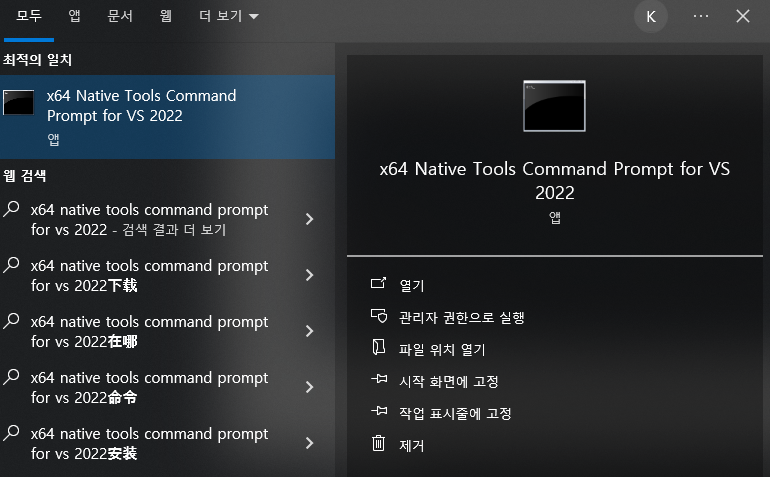
- nmake /? 이라고 명령을 입력했을 때 이러한 결과처럼 나온다면 C++ 설치 필요

- 이번에도 윈도우에서 Visual Studio Installer를 검색 후
Installer가 열리면
- 설치된 Visual Studio 2022 Community 옆에 수정(Modify) 클릭
- Desktop development with C++ 체크
- 설치

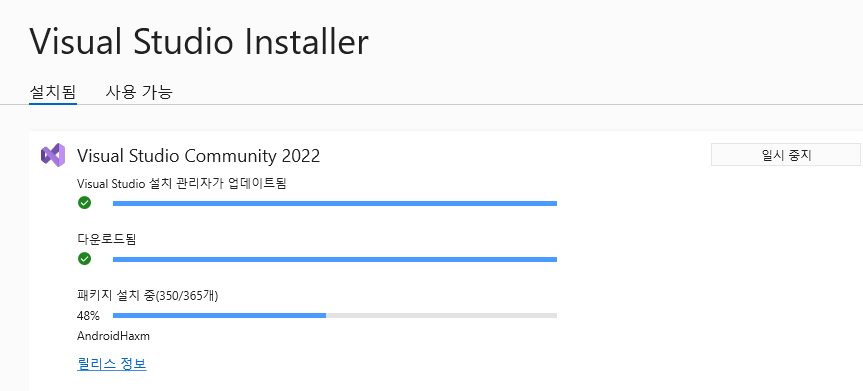
- 설치 후 nmake /? 이러한 화면이 나오면 성공

- git에 쓰여진 대로 입력해주면 설치 끝
set "PGROOT=C:\Program Files\PostgreSQL\18"
cd %TEMP%
git clone --branch v0.8.2 https://github.com/pgvector/pgvector.git
cd pgvector
nmake /F Makefile.win
nmake /F Makefile.win install
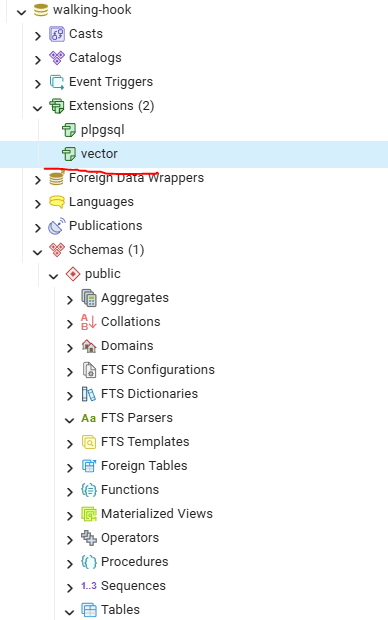
PostgreSQL에 터미널로 접속하거나 pgAdmin을 사용해 PostgreSQL에 "벡터 기능" 추가
- CREATE EXTENSION vector;

'Spring Boot > LLM' 카테고리의 다른 글
| RAG 구현 전 Vector DB 선택 (PGVector VS Qdrant 중 무엇이 좋을까?) (0) | 2026.04.07 |
|---|---|
| LLM (Ollama) + Resilience4j 재시도 처리 (Spring Boot) (0) | 2025.11.16 |
| SpringAI 사용해서 LLM (Ollama) 연결 + Resilience4j 도입 (Spring Boot) (0) | 2025.10.20 |